
Editing a track
Once you have a take you like, you can work on it without starting over. Editing always creates a new result and leaves the original take untouched.
Open the edit tools
Section titled “Open the edit tools”Select a take under Tracks. An Edit this track bar appears under it with three choices.
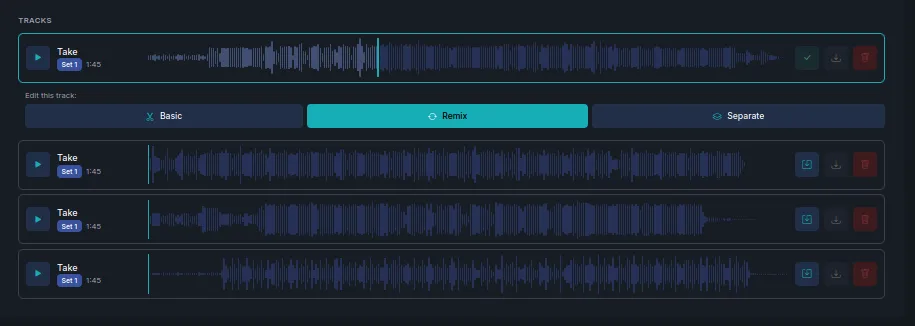
Which one do I want?
Section titled “Which one do I want?”| Mode | Use it to | Regenerates audio? |
|---|---|---|
| Basic | Trim, fade, change speed or volume | No — it edits the existing audio |
| Remix | Restyle the track, add vocals, or redo one section | Yes |
| Separate | Split the track into stems such as drums, bass and vocals | No |
The distinction that matters: Basic and Separate work on the audio you already have, so they are quick and cheap and give you exactly the same performance back. Remix generates new audio, so it costs like a generation and the result will differ from the original take.
Next steps
Section titled “Next steps”- Basic edits — trim, fade, speed and volume.
- Remix a track — Cover, Morph and Repaint.
- Separate stems — vocals and instruments as separate files.