
Add images (Studio)
Add your photos to the timeline as scenes — shown either as clean stills or with a 3D parallax motion effect.
Before you start
Section titled “Before you start”- Open a video in the Video Editor.
- Have photos ready in Assets or on your device.
Add a photo
Section titled “Add a photo”Open the Media tool in the left rail, then add an image to the scene.
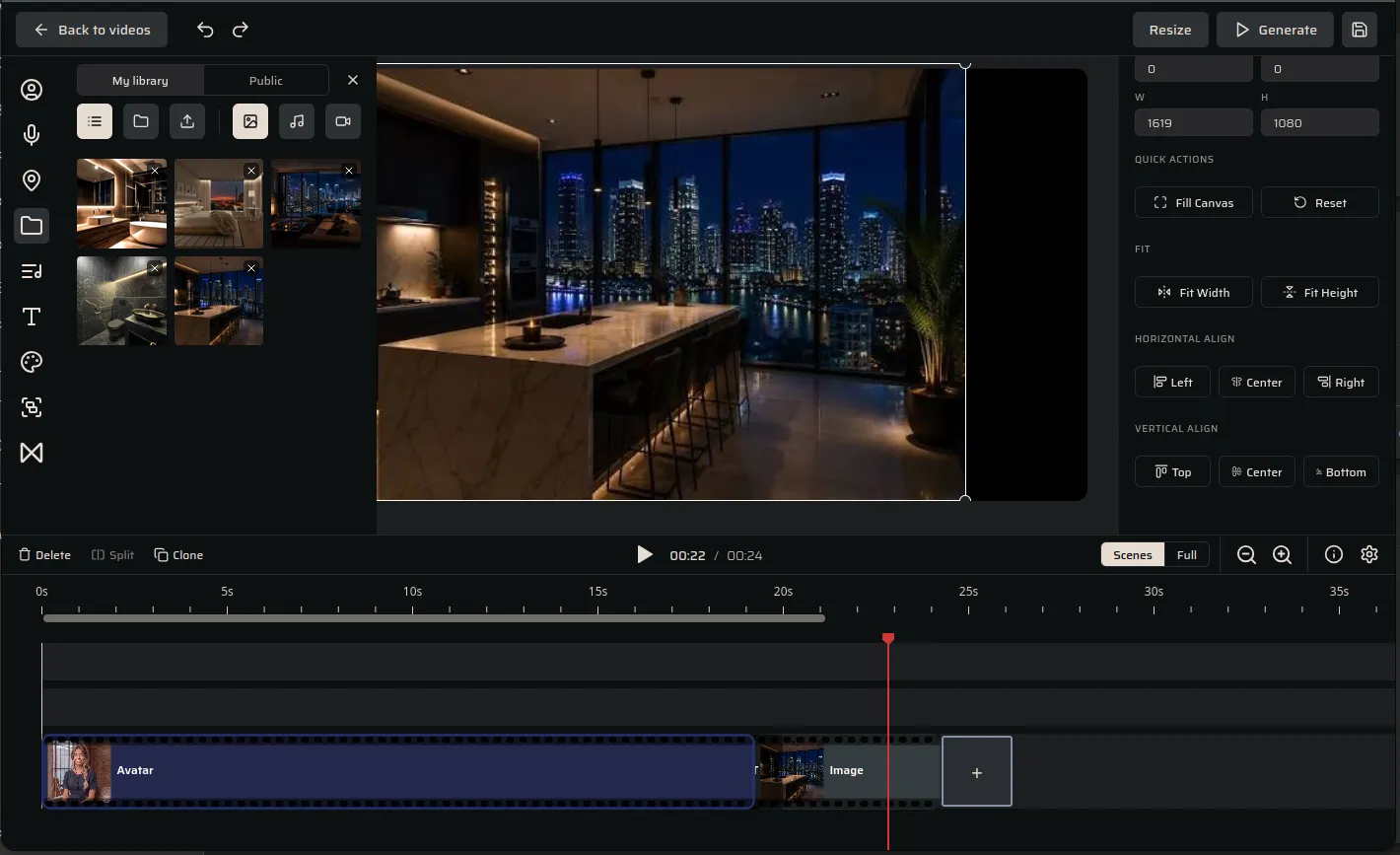
- My library / Public, with tabs for images, music, and video; upload or reuse an asset.
- Right panel — size (W/H), Fill Canvas / Reset, Fit Width / Fit Height, and Horizontal / Vertical align to frame the shot within the video’s orientation.
Turn a photo into a moving (3D) shot
Section titled “Turn a photo into a moving (3D) shot”Select the image and open the 3D tab.
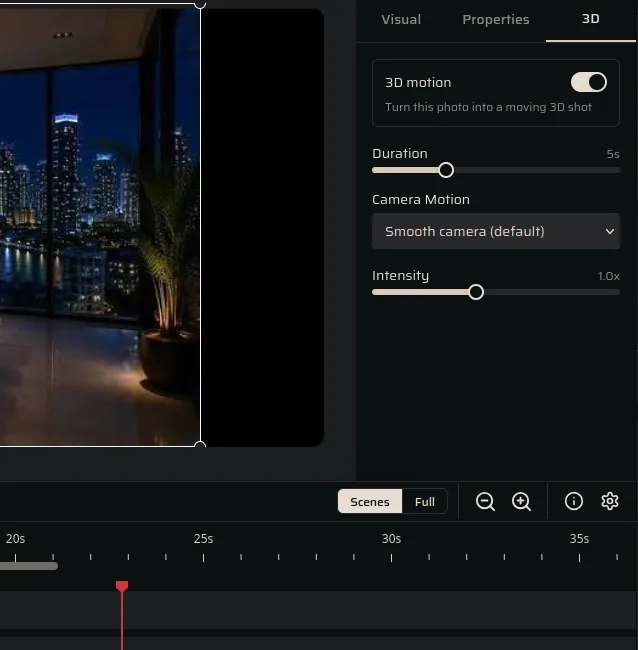
- 3D motion — toggle on to turn a still into a gentle moving shot.
- Duration, Camera Motion (e.g. Smooth camera), and Intensity control the move.
Next steps
Section titled “Next steps”- Avatars — add a talking presenter.
- Positioning & layering — put a photo behind a corner avatar (PiP).
- Link a visual to a voiceover — hold a photo for exactly its narration.
- General settings — timing, transitions and saving.
See Video pricing for how still and parallax scenes are billed.